Resources · Meter instructions
Follow the simple steps below to submit your meter readings accurately.
The screen on your meter switches between 3 displays. To see your meter reading, please use the 'IMPRT' screen.
If the screen moves too quickly for you to take note of the value, you can follow these steps:
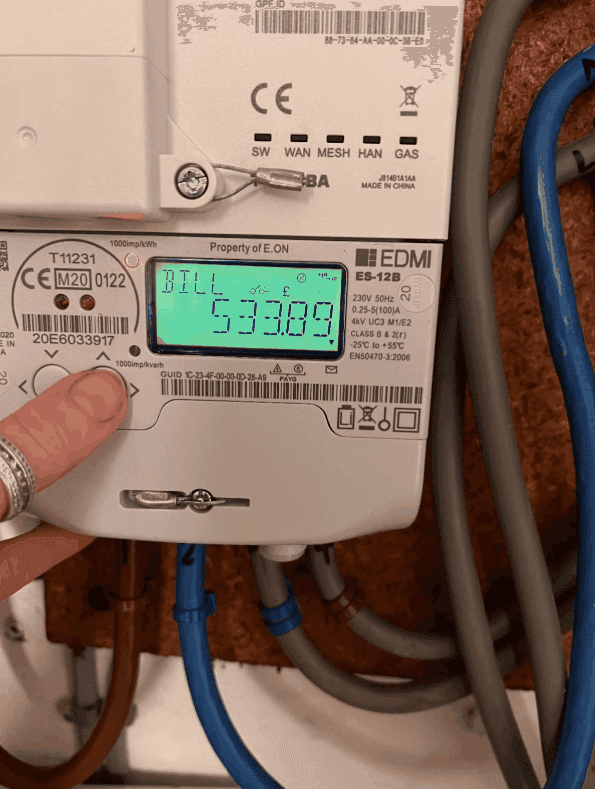
To obtain reading or multi rate readings:

To obtain reading or multi rate readings:

To obtain reading or multi rate readings:

To obtain reading or multi rate readings:

You will need to check if the contract you are selling is single rate or multi rate to be able to take the correct readings from the meter.

To obtain reading or multi rate readings:

To obtain reading or multi rate readings:

Accurate readings stop estimated billing, but the rate you're paying per unit matters far more. These guides help you check you're on the right contract.
We compare the whole market for hospitality businesses, free and with no obligation.
Compare electricity ratesWhat actually happens when you switch supplier, step by step.
Read the switching guideFixed vs flexible, pass-through charges and renewal windows explained.
Understand your contractDownloadable guides for pubs, clubs, kitchens and licensed venues.
Browse the guidesIf you're unsure about your meter type or have any questions, our team is here to help.
Call us on
024 7632 8995Business hours
